Thoughts & moods
Notice patterns and work through difficult situations
Use a quick mood check-in when you want a brief record, or follow the full thought-record flow one manageable step at a time.

Mind Your Mood documentation
Learn your way around Mind Your Mood, find the tool you need, and follow practical guides using the same screens you see in the application.
You do not need to read the guides in order. Start with a familiar area, or use the quick links below to go directly to a task.
Each guide is organised around the application screen and action names, so it is easier to follow alongside Mind Your Mood.
Mind Your Mood stores its working records locally on your computer. The guides explain when an action adds, changes, removes or hands off information.
Browse documentation
These areas mirror the main navigation in Mind Your Mood. Open a guide for numbered instructions, screenshots and important information about what each action changes.
A good place to begin
The left-hand navigation stays with you throughout the application. The home cards lead to the same areas and add a short explanation of what each one is for.
Use the navigation or a home card to open the tool you need.
Actions such as add, edit and remove appear at the top of each page.
Select Home to come back to this overview without losing your saved records.
Guide collections
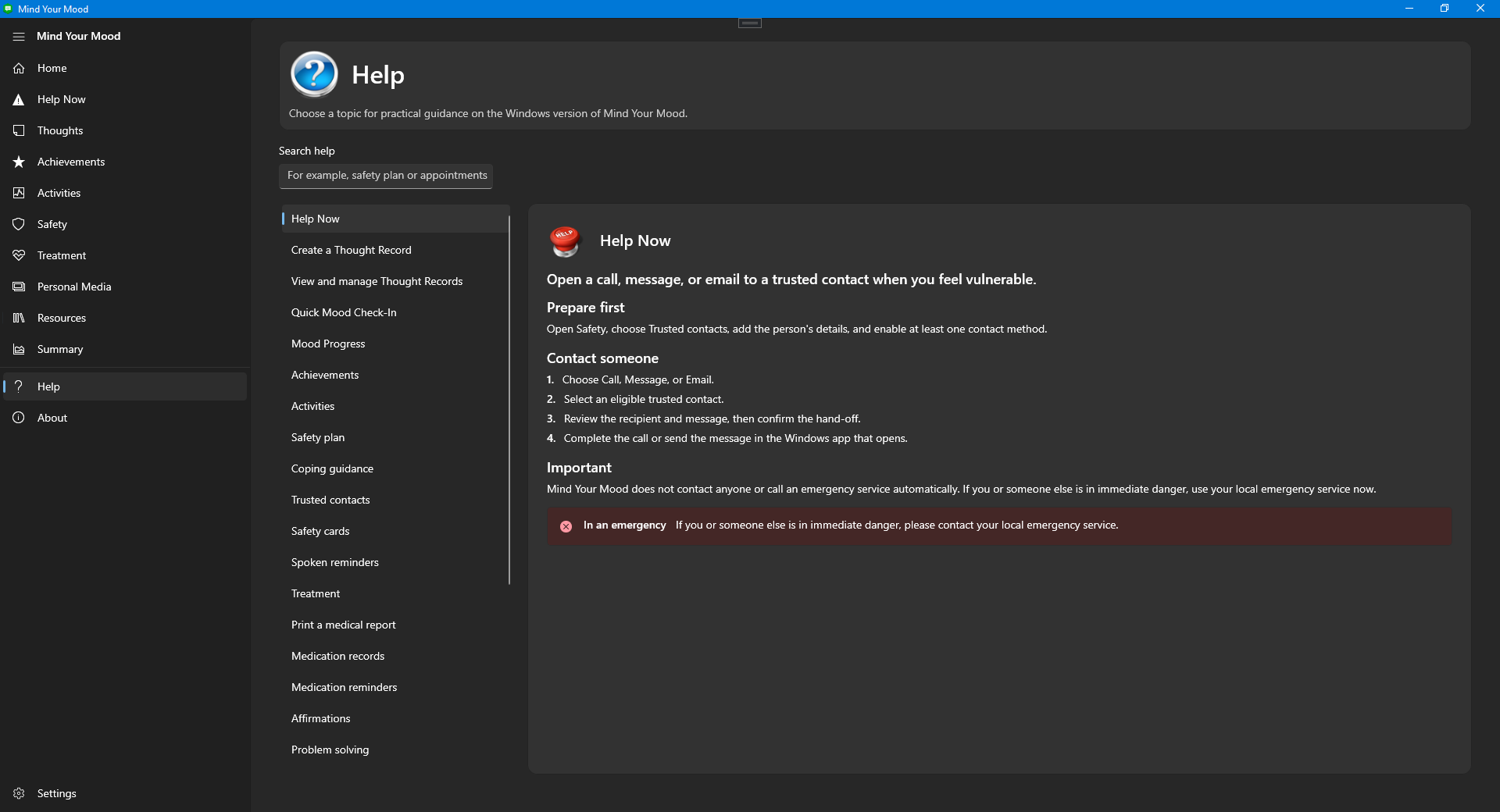
Each collection now opens a task-based guide. Follow the numbered steps beside Mind Your Mood and enlarge any screenshot when you need to match the screen.
Thoughts & moods
Use a quick mood check-in when you want a brief record, or follow the full thought-record flow one manageable step at a time.
Activities & achievements
Add activities around achievement, intimacy and pleasure, then record accomplishments you want to remember.
Safety & Help Now
Create a safety plan, keep coping guidance and spoken reminders close, and maintain trusted contacts. Help Now can prepare a call, message or email handoff for you to complete.
Use your local emergency service now. Mind Your Mood does not contact emergency services or trusted contacts for you.
Treatment tools
Maintain medication records, break work into structured plans, work through problem-solving steps, and keep affirmations you find useful.
Personal media
Build a positive imagery collection with your own comments, and organise music therapy playlists using media already available to you.
Resources & planning
Keep notes about conditions, useful strategies and medication references, then prepare appointments and questions you want to raise.
Summary & settings
Use Summary for a consolidated view of information in the application. Settings lets you manage presentation, behaviour and local-data options.
Using the guides
The Help page groups guidance around the same areas used by the application. Use this website when you want larger screenshots or a guide open beside the app.
Documentation principle
Start with the task in front of you. The guide should explain the next safe action without making you learn the whole application first.