SoleSorted

Simple bookkeeping for UK sole traders and landlords

Import your bank CSV, categorise income and expenses, attach receipts, and export an accountant-ready pack without wrestling with full accounting software.

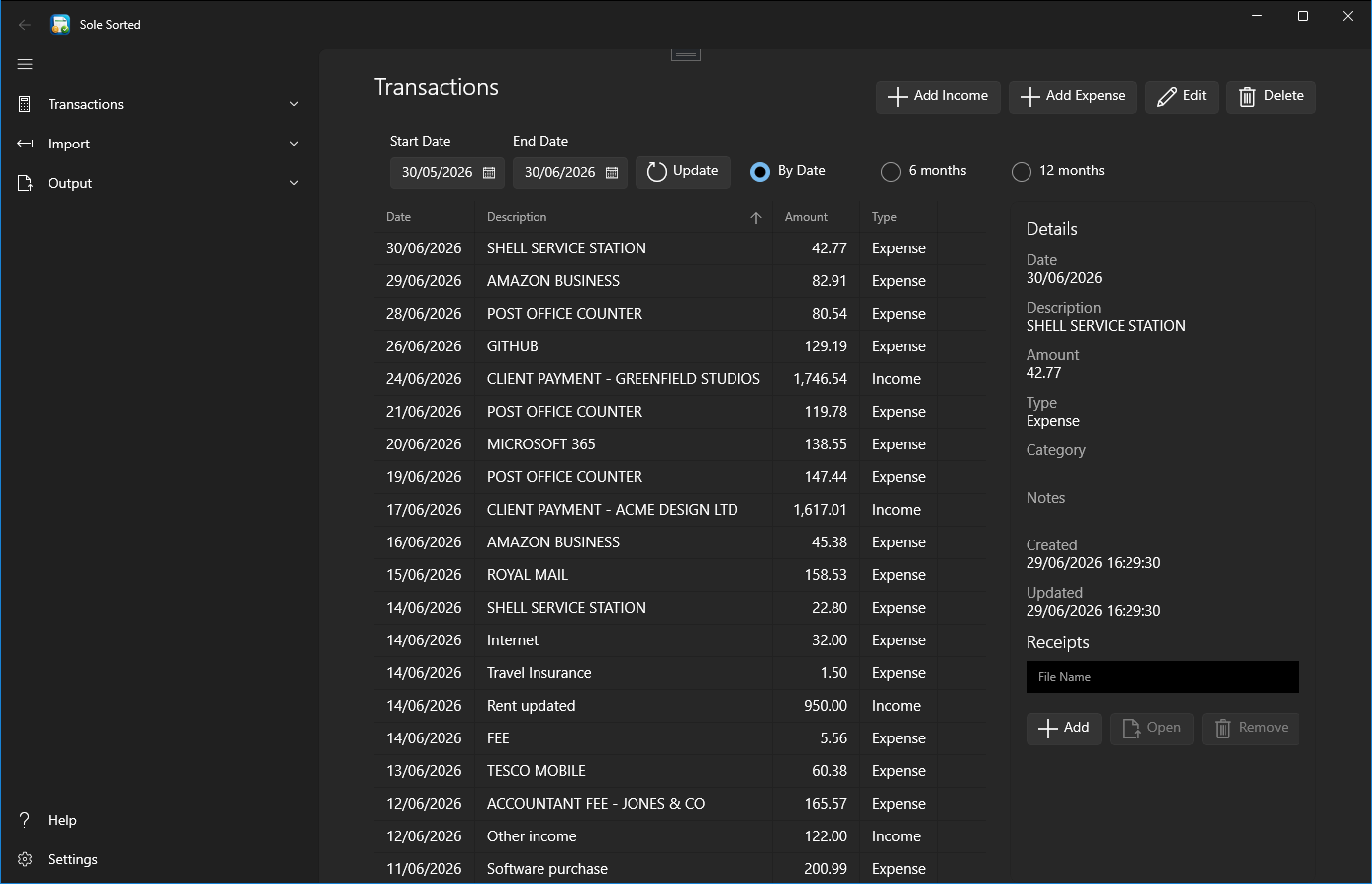
Dashboard screenshot coming soonSoleSorted dashboard showing income, expenses, bookkeeping progress and recent transactions.

What SoleSorted helps with

Focused tools for keeping everyday bookkeeping records tidy before they go to your accountant.

CSV mapping screenshot coming soonSoleSorted CSV mapping screen for matching bank file columns before import.
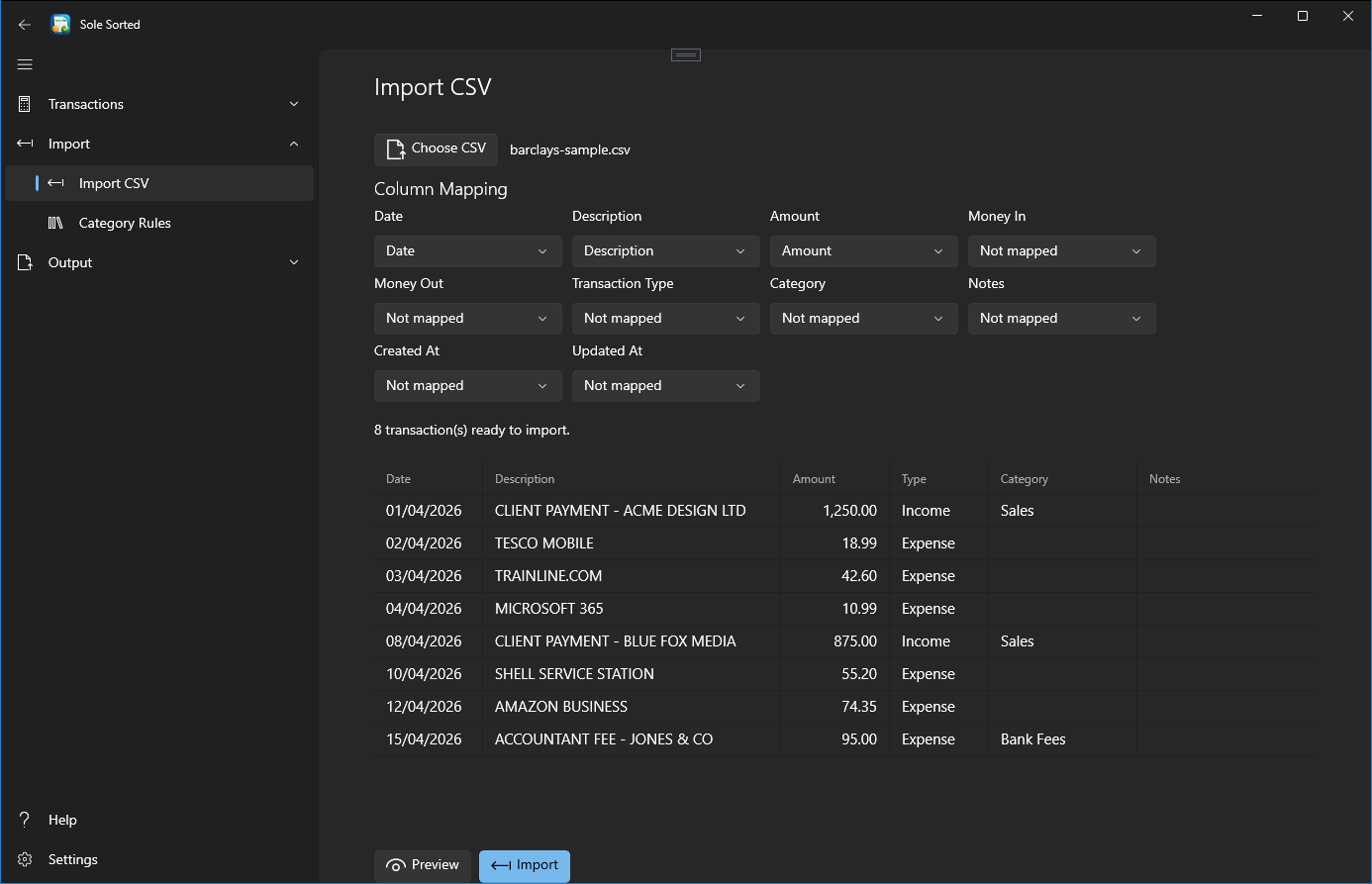
Import bank CSV files

Bring in exported bank transactions without retyping rows into a spreadsheet.
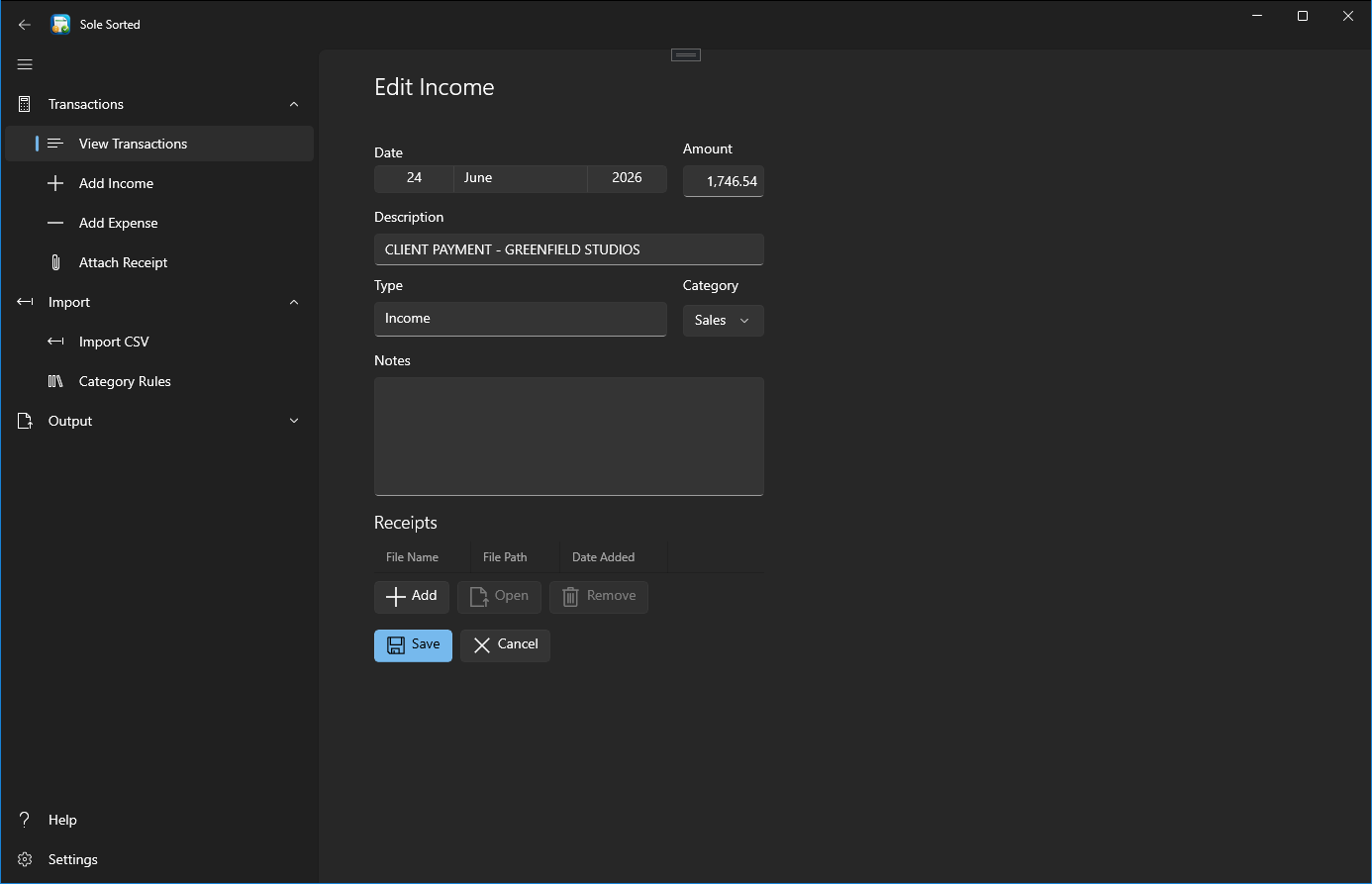
Transaction editor screenshot coming soonSoleSorted transaction editor for checking and categorising income and expenses.

Categorise income and expenses

Review each transaction and keep income and costs separated clearly.
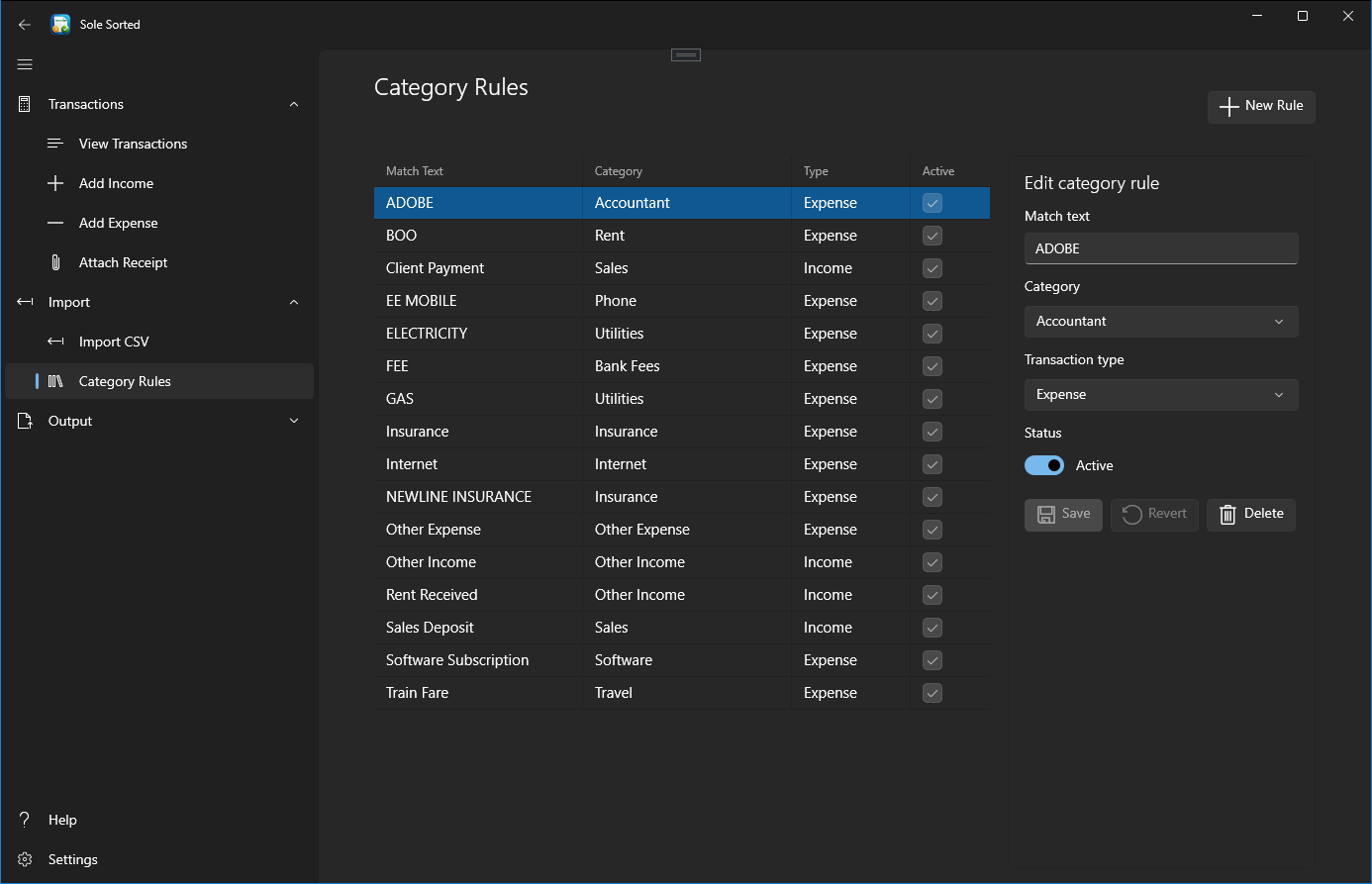
Category rules screenshot coming soonSoleSorted category rules screen showing reusable transaction matching rules.

Create category rules

Save repeat categorisation choices for common descriptions and suppliers.
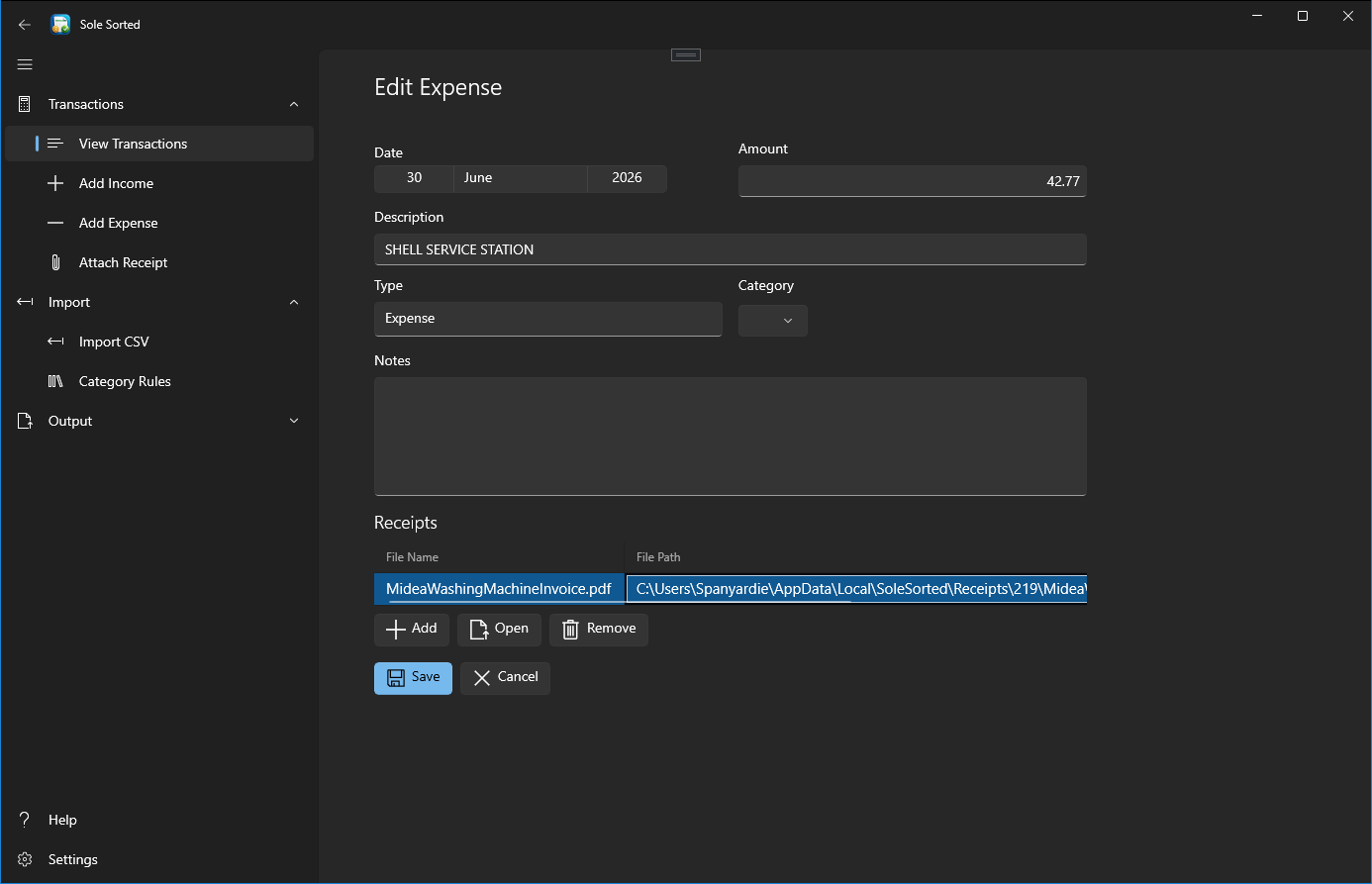
Receipt attachment screenshot coming soonSoleSorted receipt attachments screen with files linked to a transaction.

Attach receipts

Link receipt files to the transaction records they support.
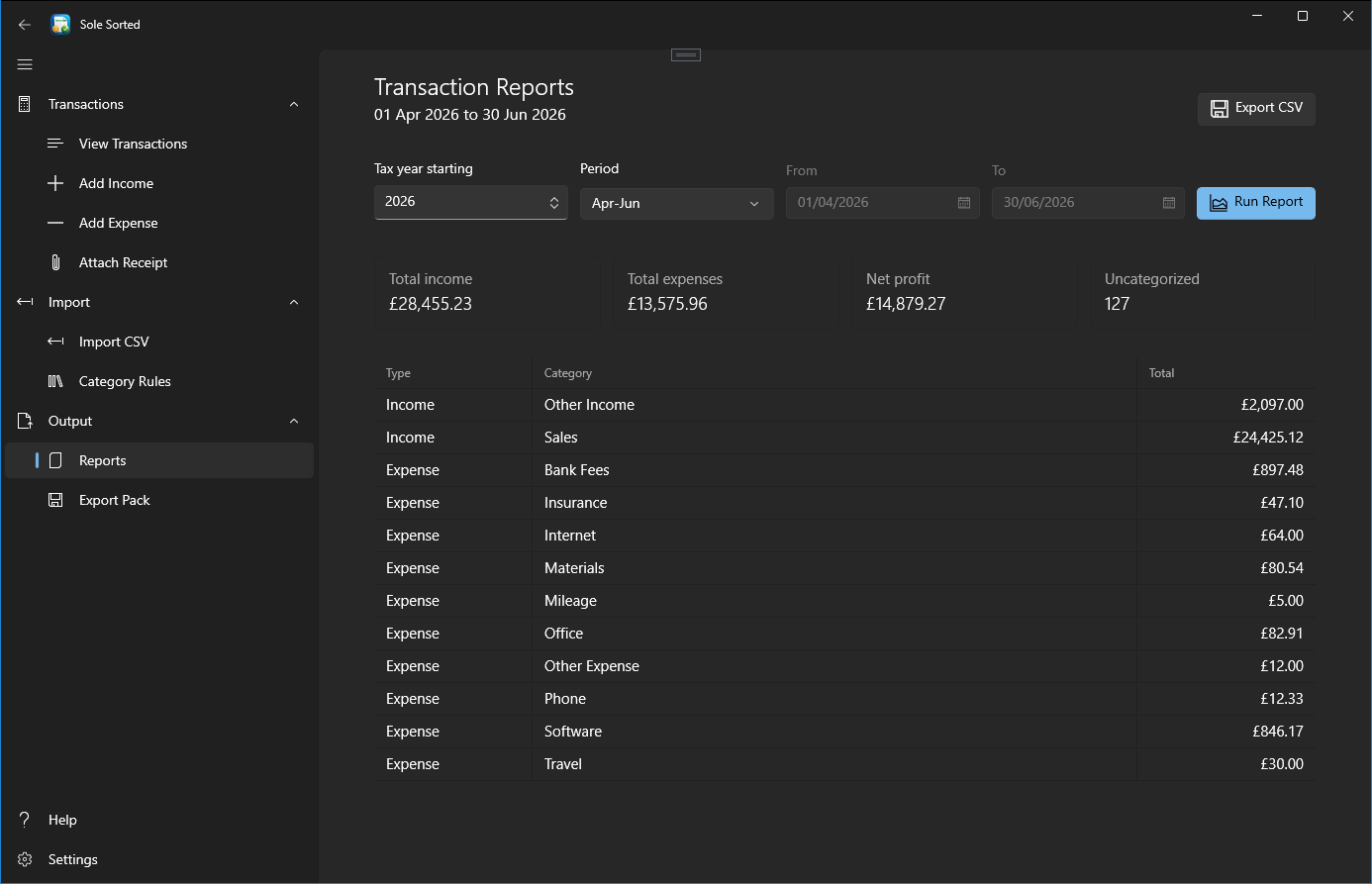
Quarterly summary screenshot coming soonSoleSorted quarterly summary showing income, expenses and bookkeeping figures.

View quarterly summaries

See practical summaries that help you keep an eye on the year as it progresses.
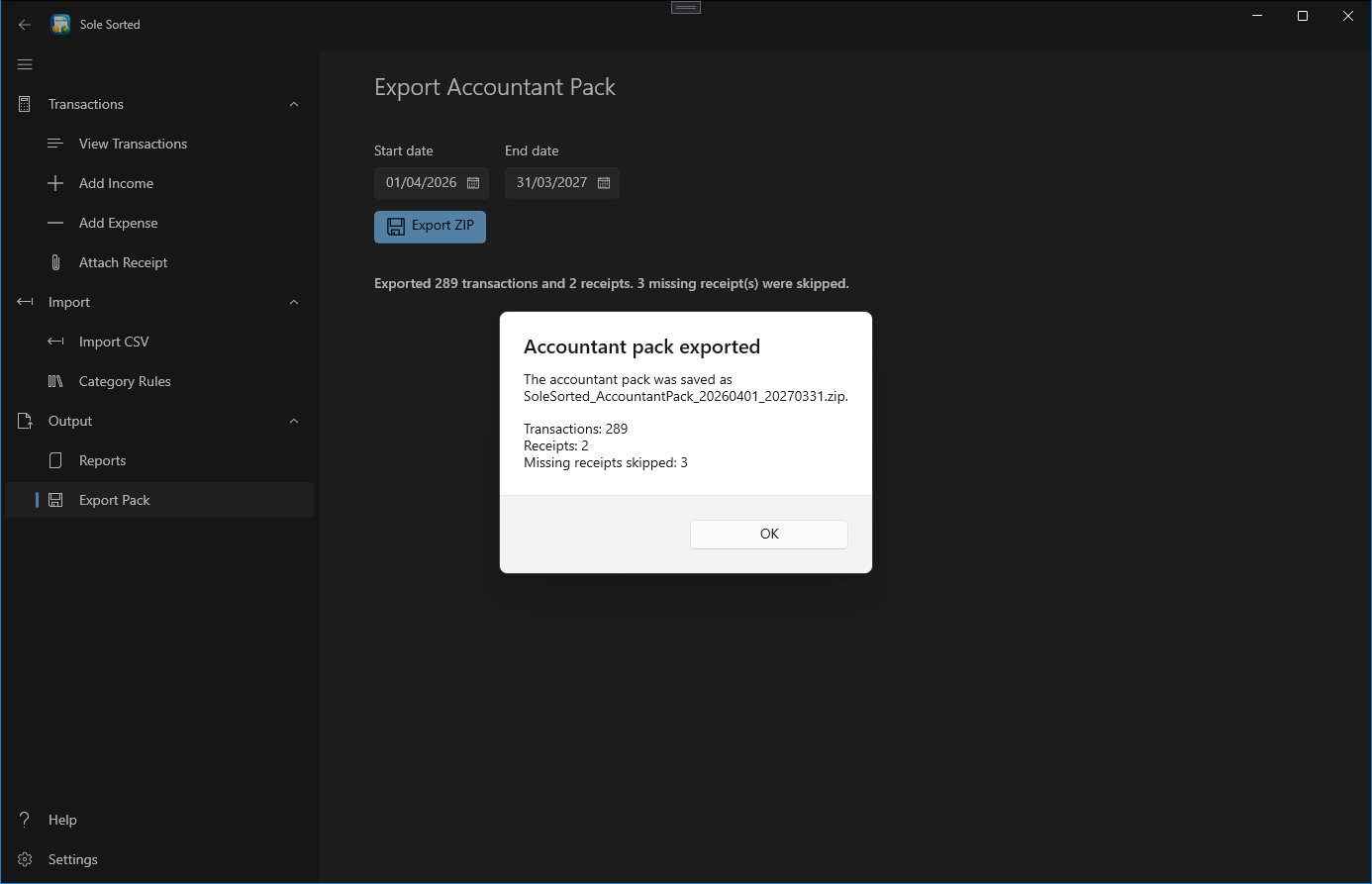
Accountant pack screenshot coming soonSoleSorted accountant pack export screen with options for preparing a ZIP file.

Export accountant packs

Create a ZIP pack with records and receipts organised for accountant review.

Local-first desktop app

Use a Windows desktop app designed around local files and local records.

No cloud account required

Start without creating an online account or uploading bookkeeping data.

How it works

A simple workflow for turning bank exports and receipts into cleaner records.

  1. CSV columns mapped and ready to import into SoleSorted.
    1Import your bank CSV
  2. SoleSorted dashboard used to check and categorise imported transactions.
    2Check and categorise transactions
  3. Receipt files attached to a transaction in SoleSorted.
    3Attach receipts where needed
  4. Accountant pack export options ready to create a ZIP file.
    4Export a ZIP pack for your accountant

Who it is for

  • UK sole traders
  • Freelancers
  • Small side-business owners
  • Small landlords
  • People using spreadsheets today
  • People who want to send cleaner records to their accountant

Who it is not for

  • Companies needing payroll, VAT returns, or stock control
  • People needing full double-entry accounting
  • Anyone expecting direct HMRC submission in the alpha
  • Anyone needing cloud multi-user collaboration

Alpha notice

SoleSorted is currently in alpha. Test it with copied or sample data first, check all figures before relying on exports, and send feedback where the workflow could be clearer.

Disclaimer

SoleSorted helps organise bookkeeping records and prepare accountant export packs. It does not provide tax, legal, or accounting advice, and it is not official HMRC filing software.

Try the SoleSorted alpha

Download the Windows alpha build and see whether it fits your workflow.

No cloud account required.
Download Alpha